Easy Order Importer
Open a file, map it, and import sales orders
Reads the order files your customers already send — spreadsheets, CSV, JSON, XML, X12 850s, EDIFACT ORDERS — maps each partner's layout once, checks every value against your data, and writes the sales order. Everything but EDI is read on your own computer.
What it's for
Orders arrive as files. A rep sends a spreadsheet, a customer emails the same workbook every week, a retailer's portal drops an X12 850. Every one of them holds an order somebody now types in by hand, line by line, reading part numbers off one screen and entering them on another.
It is slow on a busy morning and it is worst when the order is large. The mistakes it makes are quiet ones — a transposed quantity, the wrong unit of measure, a part number that matched something close enough. Those surface later, in a pick or a shipment or an invoice, when they cost more to fix.
Every customer sends a different layout, so the person doing the typing is also the only one who knows how to read that customer's file.
What it does
- Reads the file you were sent. CSV, Excel, X12 850, and EDIFACT ORDERS, from your machine, without converting anything first.
- Learns each partner's layout once. Save a profile per customer that says which column or segment holds the quantity, the price, the dates. The next file from them opens ready.
- Matches their part numbers to yours. Looks a customer's own part number up against the ones recorded for that customer and fills in your product.
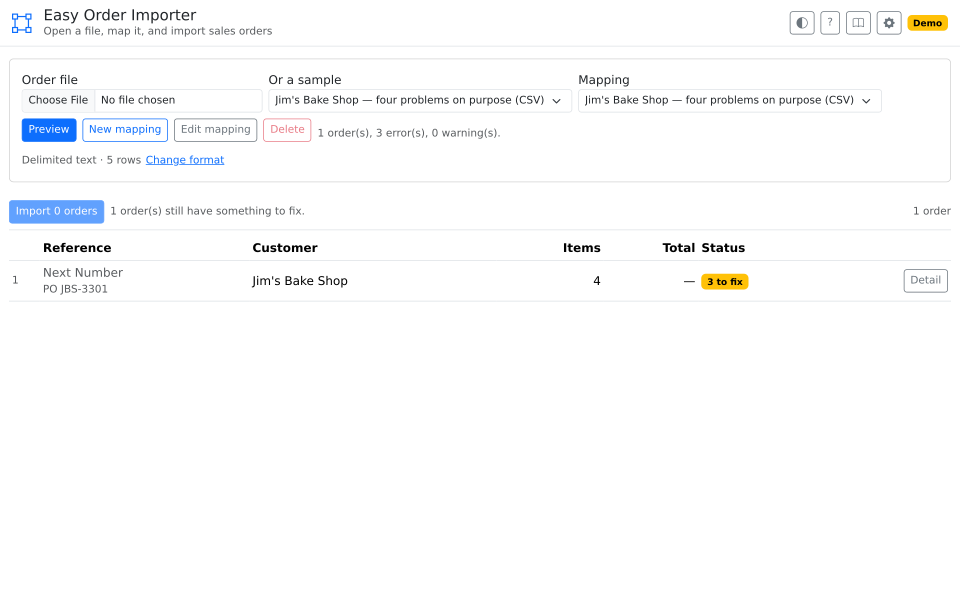
- Checks the whole order before writing anything. Every customer, product, unit of measure, tax rate, and carrier is confirmed to exist, and anything unmatched is named on screen while the order can still be fixed.
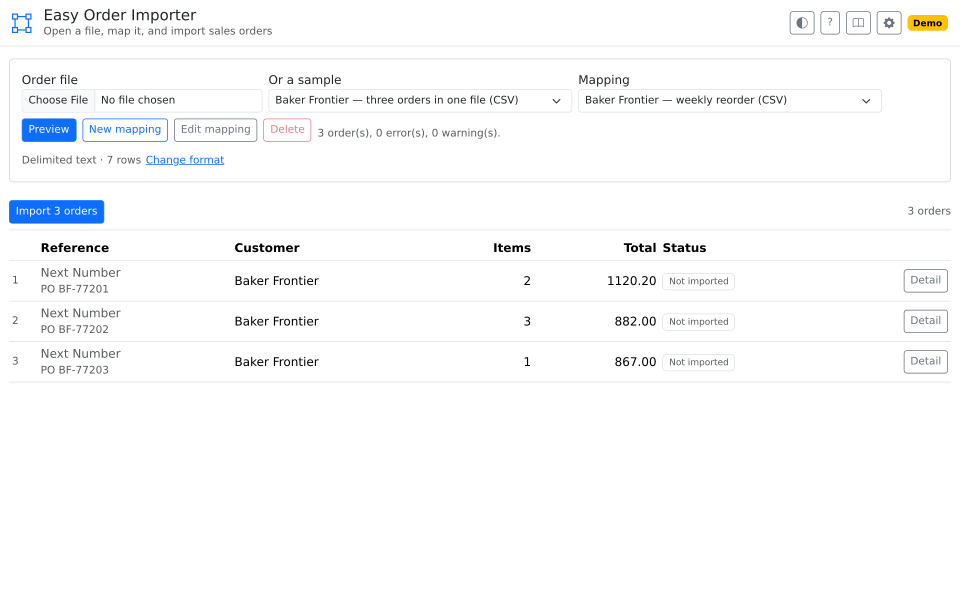
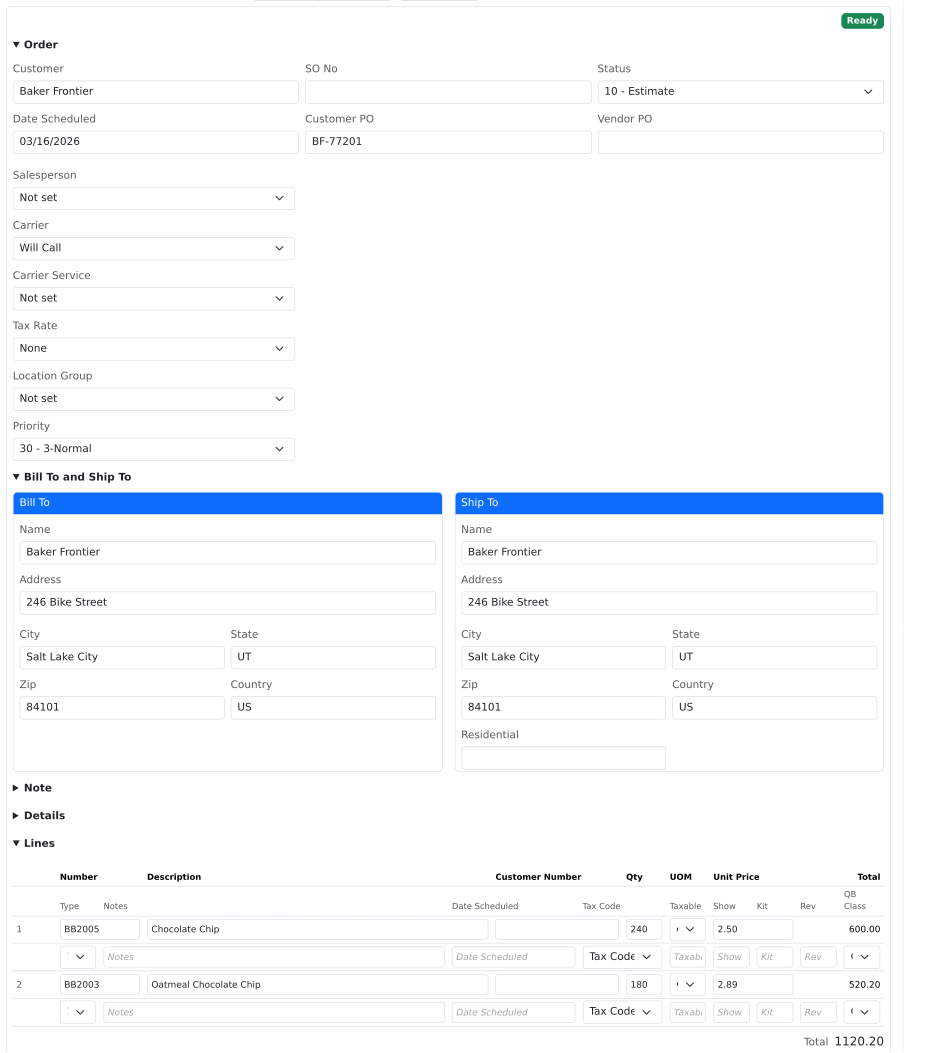
- Shows you the orders, then creates them. A file holding a week of orders is split into one per purchase order number. Every line is previewed before anything is written, and each order lands in Fishbowl the way one you typed would.
Use it for
- A retailer that requires EDI, when you need the 850 they sent turned into an order today rather than an integration project.
- The customer who emails the same spreadsheet every week in the same shape.
- A rep's order form that arrives as a workbook and gets retyped.
- A backlog of orders to enter at once, after a show or a promotion.
Good to know
- Customers, products, and units of measure must already exist in Fishbowl. This writes orders; it does not create the records an order refers to.
- Reading an X12 or EDIFACT file needs an internet connection. Spreadsheets and CSVs work with no connection at all.
- This is not an EDI service. It reads a file you already have. It does not connect to a trading partner over AS2 or a VAN, it does not collect files on a schedule, and it sends no acknowledgement back, so your partner is not told the order arrived.
- A person confirms every import. It is not a hands-off feed. A spreadsheet mapped by fixed cells — customer in C4, and so on — carries one order; a spreadsheet of rows, a CSV, or an EDI file can carry many.
- Anyone who can open the page can import an order. The page asks for no access right of its own, so where order entry belongs to certain staff, control who can reach the page.