CloudPages · Inventory
Location Builder
Build a warehouse's locations by drawing them on its floorplan
Draw a region for each rack, name the locations from a wizard, and import them into Fishbowl with a pick order that follows the floor.

What it's for
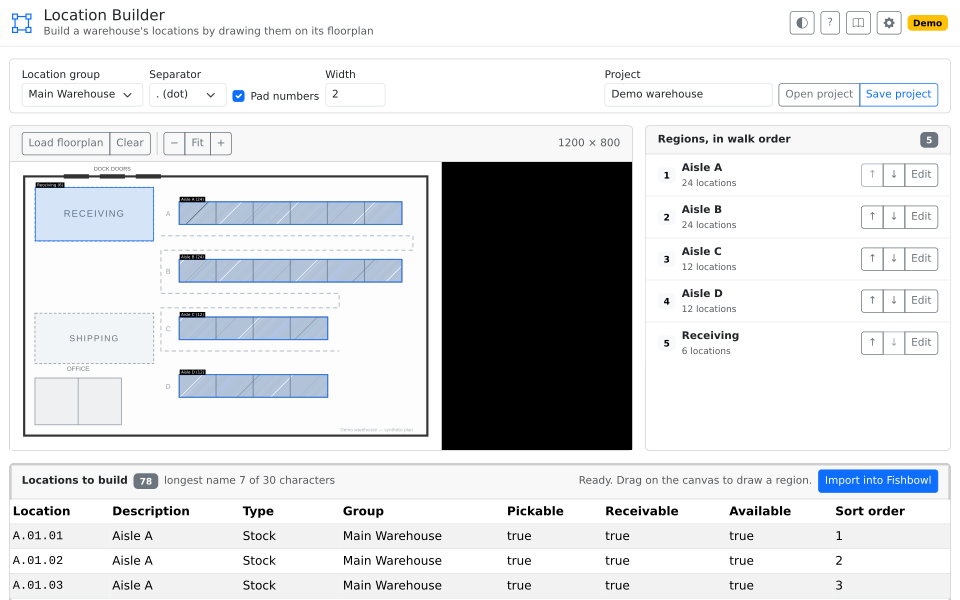
A new warehouse, or a new area in an existing one, starts as a floorplan and ends as a list of locations in Fishbowl. The naming is not the hard part. Keeping track is: which racks are in already, which were skipped, whether the numbering runs the way a picker walks. Halfway through a buildout, the floorplan and the list in Fishbowl have drifted apart.
What it does
- Load the floorplan you were given. A PDF or an image, or none at all.
- Draw a region for each rack. The rectangle records that the rack is built.
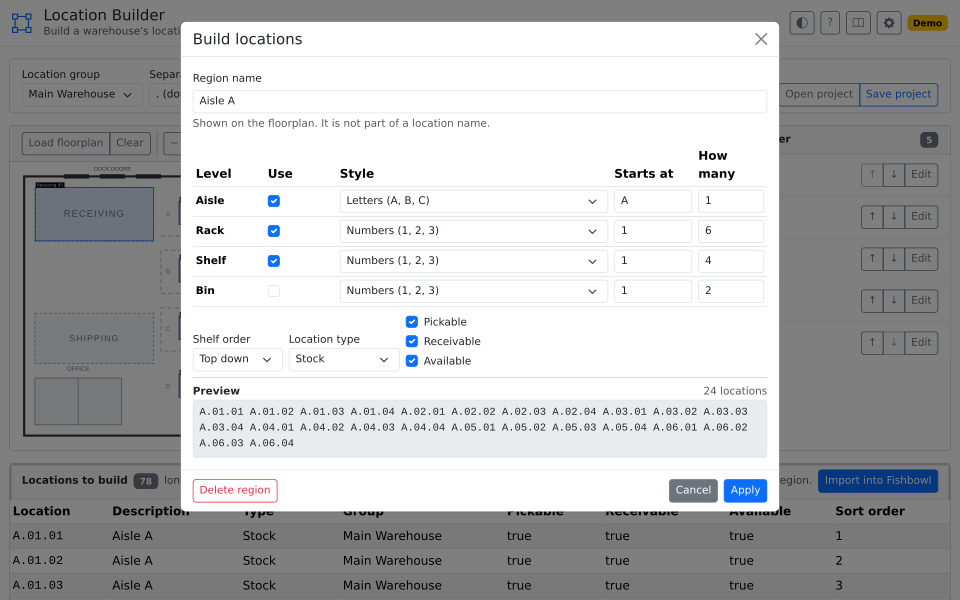
- Name locations from a pattern. Aisle, rack, shelf, and bin.
- Set the walk order. Move a rack into the sequence a picker uses.
- Import into Fishbowl, and save the project to hand on.
Use it for
- A new warehouse going live. Build every location from the floorplan, not by typing.
- A pick path that runs the wrong way. Sort it to follow the aisle, not the alphabet.
- A buildout that changes hands. The next person sees what is left.
Good to know
- An import creates a location, or updates one of the same name. Removing one is not something this page does.
- A location name is 30 characters, and cannot contain a hyphen. The wizard holds the names inside both.
- You pick the location group from the ones Fishbowl already has. An import will create a group that does not exist.
- The project lives in a file you save. Nothing is kept in Fishbowl or in the browser.
- An administrator decides who can open the page, and who may run the import.