User guide
What this page is for
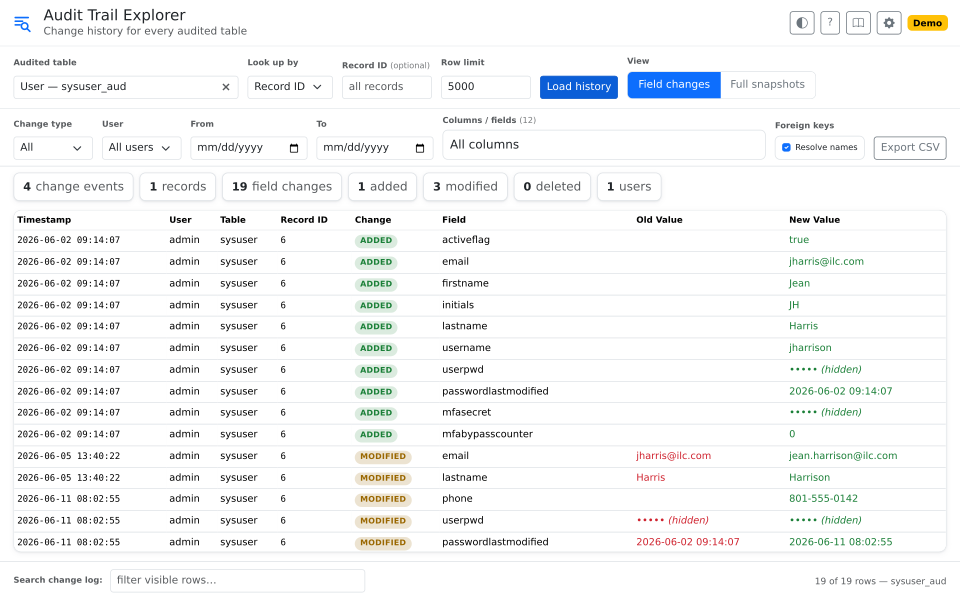
Fishbowl keeps a record of what was added and what changed on the tables it audits. This page reads that record and shows it as change history: the old value, the new value, who made the change, and when.
It works on every audited table: sales orders, purchase orders, parts, customers, and user accounts and user groups. Ids become names, so a row reads Mark Bennett instead of 4.
Start here
- Start typing in Audited table to pick a table.
- Click Load history.
- Read the grid. One row for each field that changed.
That is the whole loop. Everything else narrows what you see, or changes how it is shown.
Opened from a module toolbar, say from a sales order, the page skips those steps and loads that record's history for you.
Common tasks
Find one record
Set Look up by to Record ID and enter the id.
On a transactional table you can choose Order # instead, and enter the order number like 1058. Those are sales orders, purchase orders, work orders, MOs, transfer orders, and RMAs. On a line-item table, an order number finds every line on that order.
A table that links to a part, product, vendor, or customer also offers Part #, Product #, Vendor, or Customer. On Vendorparts, Part # finds every vendor added to that part. Part and product numbers must match exactly; a vendor or customer matches on any part of its name.
Leave the value blank to load the whole table's history.
The newest change is at the top. If Fishbowl records more changes after you load, a banner above the grid says how many; click Reload to see them.
See the whole record, not just the change
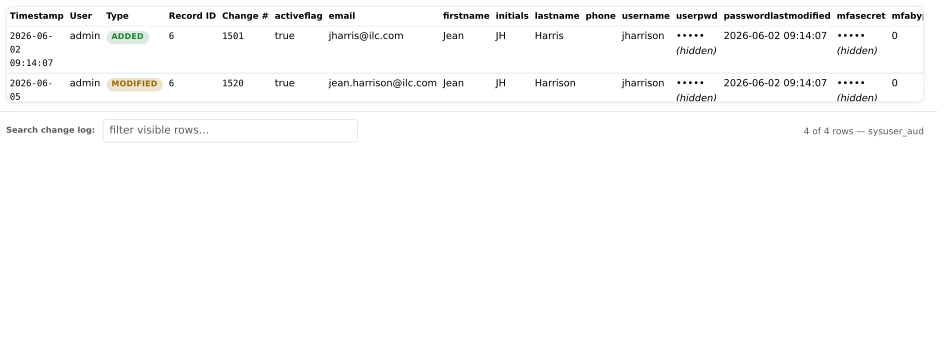
Switch View to Full snapshots. Instead of one row per changed field, you get the complete record as it stood at each change.
| View | Shows |
|---|---|
| Field changes | One row per changed field, old value and new value. Best for "what changed?" |
| Full snapshots | The whole record at each change, every column. Best for "what did it look like?" |
Read ids as names
Resolve names is on by default, and it turns raw ids into something readable:
customeridbecomes the customer's nameproductidbecomes the product's num- state and country ids become their code, like
FL - user and group ids become their name
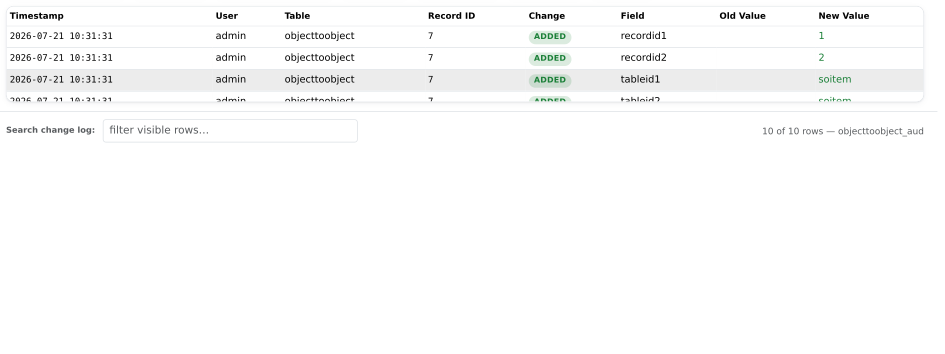
Link tables resolve too. On objecttoobject the table ids become table names, and the record ids become that table's name or number. For order line items, that is the line-item number.
Untick Resolve names to see the raw ids. They are always on hover anyway.
Narrow a long history
- Change type: added, modified, or deleted.
- User: one person's changes.
- From and To: a date range.
- Columns / fields: only the fields you care about.
- Search change log: filters the rows already on screen and highlights the matches. It does not go back to the database.
Click any column header to sort.
Take the results with you
Export CSV saves exactly what you see: the same rows, the same resolved names, the same order. Passwords and secrets stay masked.
Every control
| Control | What it does |
|---|---|
| Audited table | Picks the table to read. Type to filter. Matches the table name, its friendly label, or its module. |
| Look up by | Record ID; Order # on a transactional table; Part #, Product #, Vendor, or Customer on a table that links to one. |
| Record ID / Order # | The value to look up. Blank means every record. |
| Row limit | Caps how many change events load. 5000. |
| Load history | Runs the lookup. |
| View | Field changes or Full snapshots. |
| Resolve names | Ids as names. On by default. |
| Change type | Added, modified, or deleted. |
| User | One user, or all of them. |
| From / To | A date range. Either can be blank. |
| Columns / fields | Picks which fields the grid shows. |
| Search change log | Filters and highlights the rows on screen. |
| Export CSV | Saves what is on screen to a CSV file. |
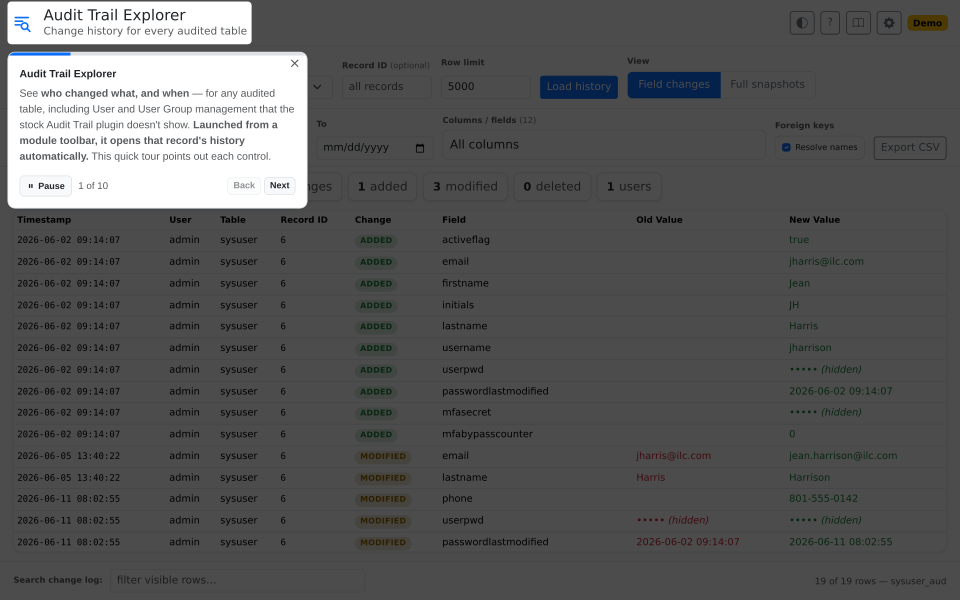
| ? | Runs the guided tour. It changes nothing. |
| Book | Shows this guide. |
| Gear | Settings. The page has none today. |
| Sun / moon | Light or dark. |
| DEMO badge | The page is on sample data, not your Fishbowl. |
The numbers above the grid count what you are looking at: change events, records, field changes, added, modified, deleted, and how many users were involved.
Questions people ask
Why is there no history before a certain date? The audit tables can be cleaned out, and what was removed cannot be read. A table also shows nothing until something changes in it. The first edit creates the first entry.
Why are there no deletions? Fishbowl's auditing records what was added and what changed.
Why does a row show a number where I expect a name? The page could not find a name column on that table. Ask support to add the mapping.
Why does my long history stop? A lookup returns 5000 change events at most. Narrow the date range or the change type, then load again.
Where are the custom fields? Each one is tracked on its own, and shows as Custom: <name> [Type] with its old and new value.
Can I see a password that changed? No. Passwords and MFA secrets are never shown. The page records that they changed, and when.