CloudPages · Administration
Audit Trail Explorer
Answer who changed a record, and when, without writing SQL
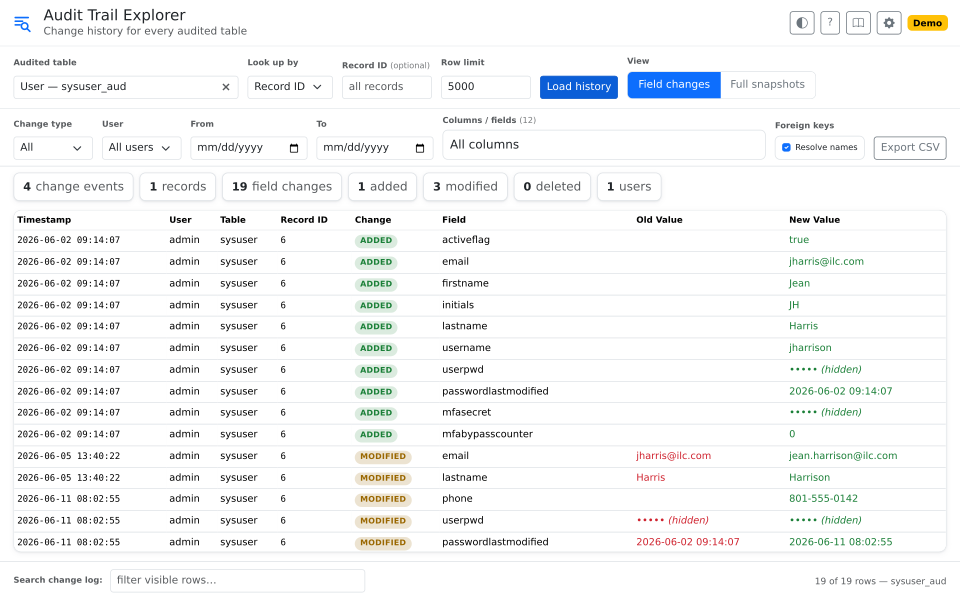
Reads Fishbowl's audit tables and shows who changed what, field by field. Ids resolve to names, so there is no query to write and nothing to translate.
What it's for
Fishbowl's auditing records what was added and what changed on an audited table, down to the field. That record lives in the history tables.
Those tables are built for the database, so reading them takes SQL, and they store ids rather than names. Answering "who changed this, and when" becomes a query, then a translation job.
This page turns that record into a view.
What it does
- Pick any audited table. Read its history without writing SQL.
- See every field that changed. Old value, new value, who, and when.
- Translate ids to names.
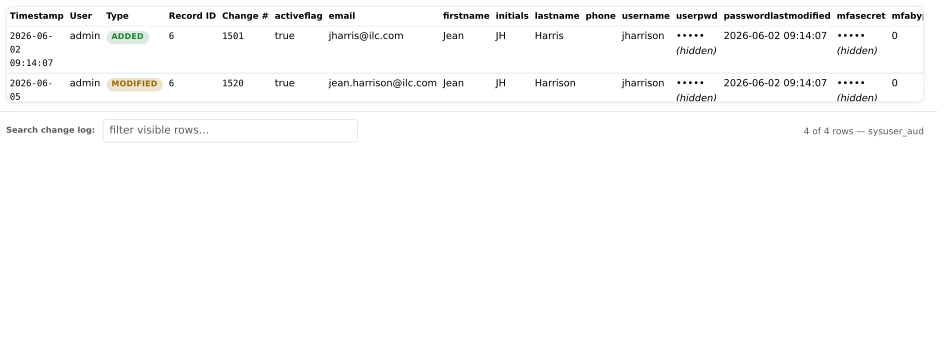
4 → Mark Bennett, and custom fields by their name. - See the whole record. As it stood at any revision.
- Search by order number. SOs, POs, and WOs, by their number.
- Audit an open record in one click. Add the page to the module toolbars you want it on.
- Filter down, then export to CSV. By change type, user, date, or column.
Use it for
- A user rights review. Every change to accounts, groups, and rights, with who made it.
- A number nobody can explain. Find the change that made it, and when.
- A change nobody admits to. Read what happened instead of asking around.
- A records request. Export the change history to CSV, filtered to what was asked for.
Good to know
- You see what was added and what changed. Deletes are not part of the audit record.
- Fishbowl decides which tables it audits. The page reads every one of them.
- An administrator decides who can open the page, and which module toolbars it appears on.
- Read only. It writes nothing back to Fishbowl.
- History goes back only as far as the audit tables do. They can be truncated, and what was removed cannot be read.