Inventory Roll-Forward
Tie beginning inventory to ending inventory, and name what does not tie
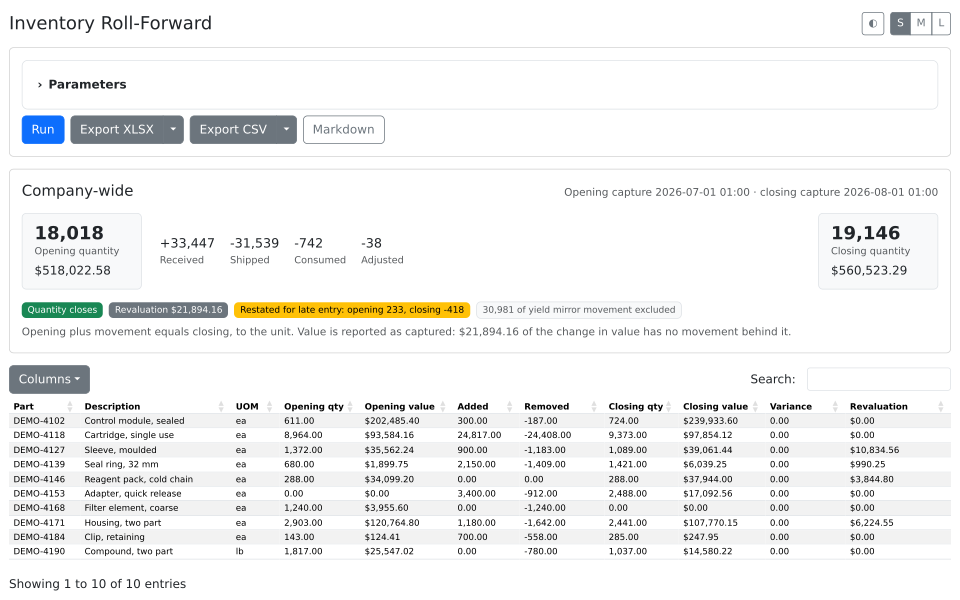
A period's inventory as a bridge — what you started with, everything that moved, and what you ended with. The quantity column closes to the unit, and what the value column cannot close is named rather than buried.
What it's for
Closing a period on inventory comes down to one question: does what we started with, plus everything that moved, equal what we ended with?
Answering it by hand is an evening. Two valuations and a transaction list go into a spreadsheet and never agree. Part of the difference was keyed in late, part belongs to the month before, and part is not movement at all — it is cost that changed under stock already held. Separating them is the work, and next month it is asked again.
What it does
- Anchors both ends on the nightly snapshot, prints the two captures it used, and bridges them with what was added and what was removed — so a busy month never hides behind a small net figure.
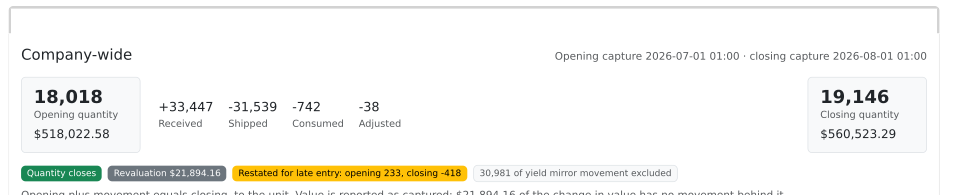
- Restates both ends for backdated entry, and shows by how much — which is the measure of how far behind the keying is.
- Closes the quantity column and prints the variance, and names the value it cannot explain as revaluation.
Use it for
- Month-end close, when the valuation on the balance sheet has to be defended.
- Explaining a jump in inventory value no receipt or shipment accounts for.
- Handing an auditor a bridge with the unexplained portion named and sized.
Good to know
- Company-wide. The snapshot carries no location, so figures cannot be split by location group.
- Quantity closes; value does not. Average cost changes revalue stock already held and nothing records that, so value ends on a named residual.
- The nightly part cost snapshot must have been running across the period. A period before the oldest capture cannot be reported.
- Read only. Tested against Fishbowl 2026.6. A user needs rights to open a CloudPage and read inventory and parts.